Home / Capture
Get documents into DocuPro from anywhere
Upload, print, scan, email, or migrate. Your people keep working the way they already do, and the documents still land in DocuPro fully indexed.
Direct upload
Index as you import, straight from the Import Document screen.
Virtual Print Driver
Print from any Windows program to GoDocuPro VPD to file it.
Batch scanning
Patch-T separator sheets split a stack into documents automatically.
Outlook add-in
File mail and attachments without leaving the inbox.
Import email address
Every user gets one. Forward mail, attachments come with it.
Bulk import jobs
Tuned to your hardware, with retry for failed uploads.
Print anything to GoDocuPro VPD
GoDocuPro VPD installs as a Windows printer. Anything you can print — a web page, an email, a spreadsheet — files into DocuPro and is indexed on the way in.
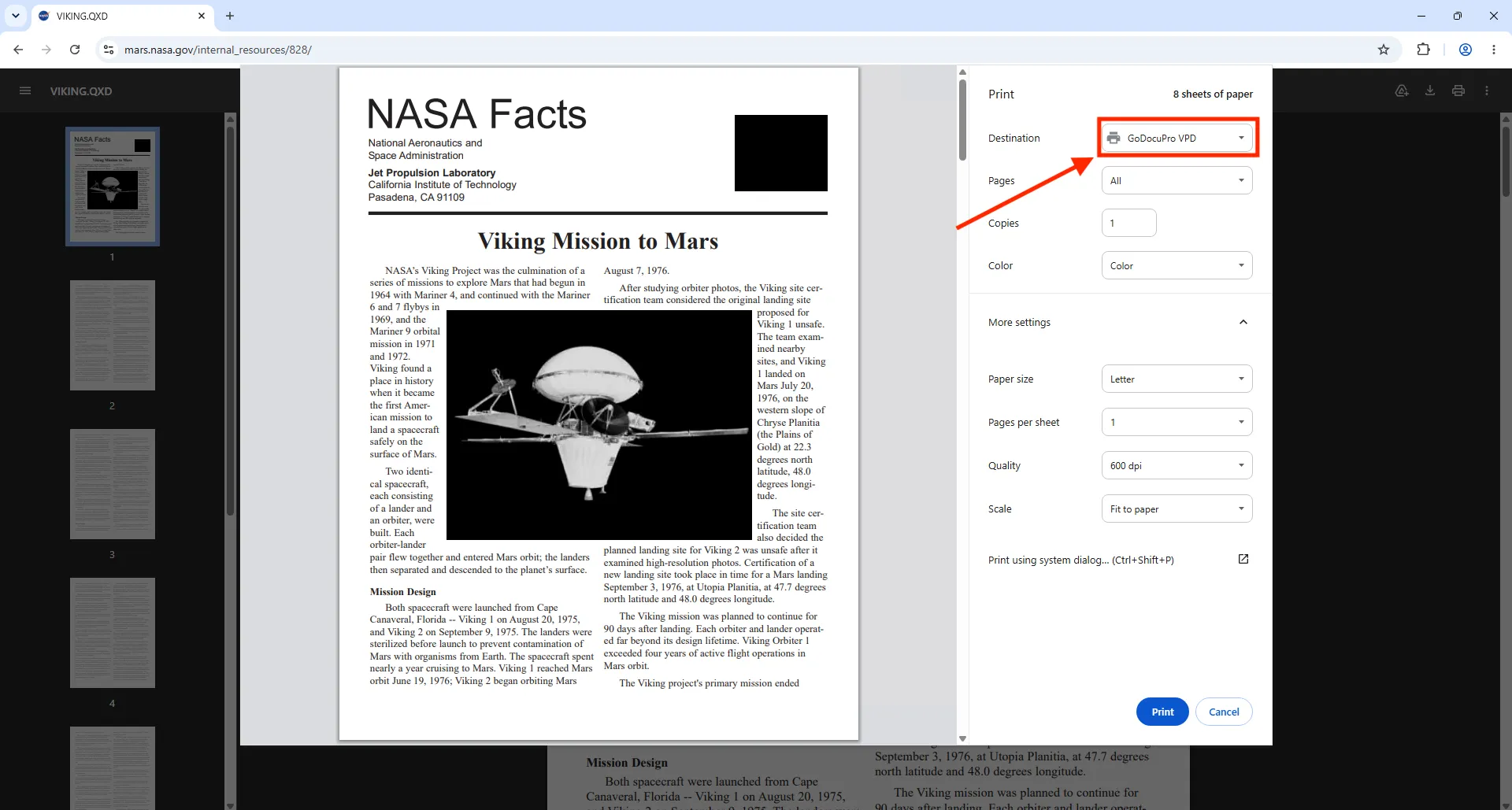
Print anything to GoDocuPro VPD
Batch scanning
Drop Patch-T separator sheets between documents, scan the whole stack, and DocuPro splits it into individual documents. Scanner profiles and batch indexing keep large volumes moving.
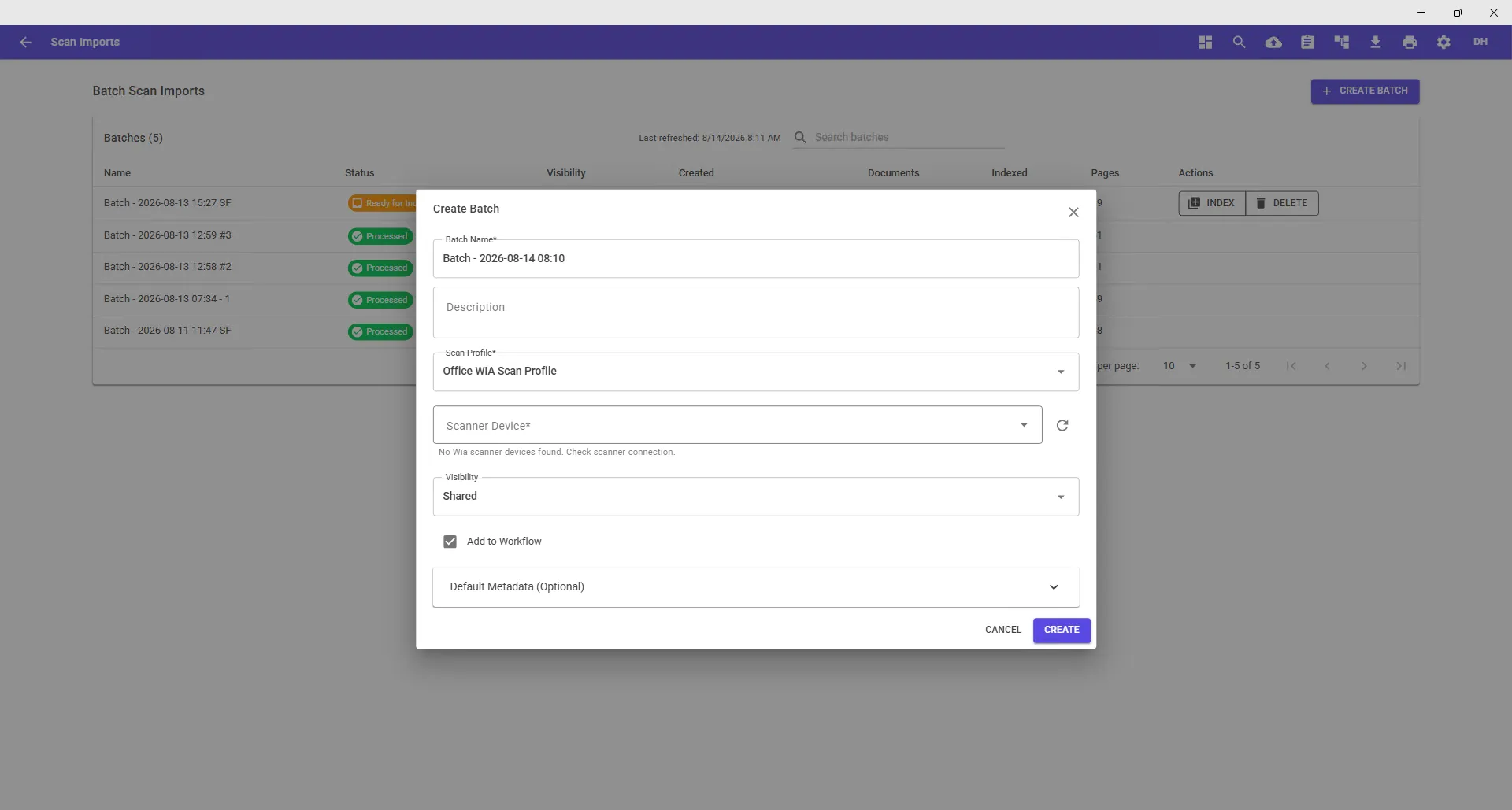
Scan a batch separated by Patch-T sheets — DocuPro splits and indexes it
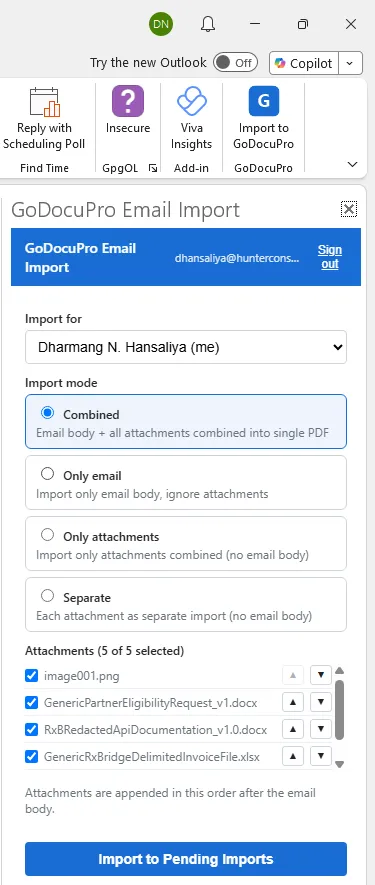
Outlook add-in
File a message and its attachments into DocuPro from the Outlook ribbon, indexed on the way in. Not on Outlook? Every user also gets an import email address that accepts forwarded mail and attachments.
Bulk import jobs
Built for migrations and backlogs. Configure jobs against the hardware you have, run in parallel, and retry failed uploads without starting over.
Import stamps
Apply a stamp on the way in — received date, source, or department — so every document carries its intake record from the first page.
Show us how your documents arrive today
Scanner, inbox, print, or an old system — we'll set up the capture path in a demo environment and walk you through it.