Home / Configure
Configure DocuPro around your business, not the other way around
Document groups, document types, index fields, external lookups, folder permissions, security rules, and workflows are all yours to define. The same platform below is set up two completely different ways.
Insurance carrier
Document type
Claim
Index fields
Claim Number, Employee, Employer, Date of Injury
Workflow
Intake → Review → Approval → Complete
Security
Adjusters see only claims assigned to their department
Notifications
Reviewer is emailed when a claim enters their queue
Accounts payable
Document type
Invoice
Index fields
Vendor, Invoice Number, Amount, Department
Workflow
Received → Review → Approval → Paid
Security
Department-based access, enforced by index values
Notifications
Scheduled reminder for invoices sitting past due date
Everything is set up by an administrator, not a consultant
Document groups and types, keyword fields and external lookups, user groups, folder permissions, workflow stages and tasks, scanner profiles, import stamps, notification rules, and deep links are all configured in one place.
External lookupsScanner profilesImport stampsDeep linksSMTP notifications
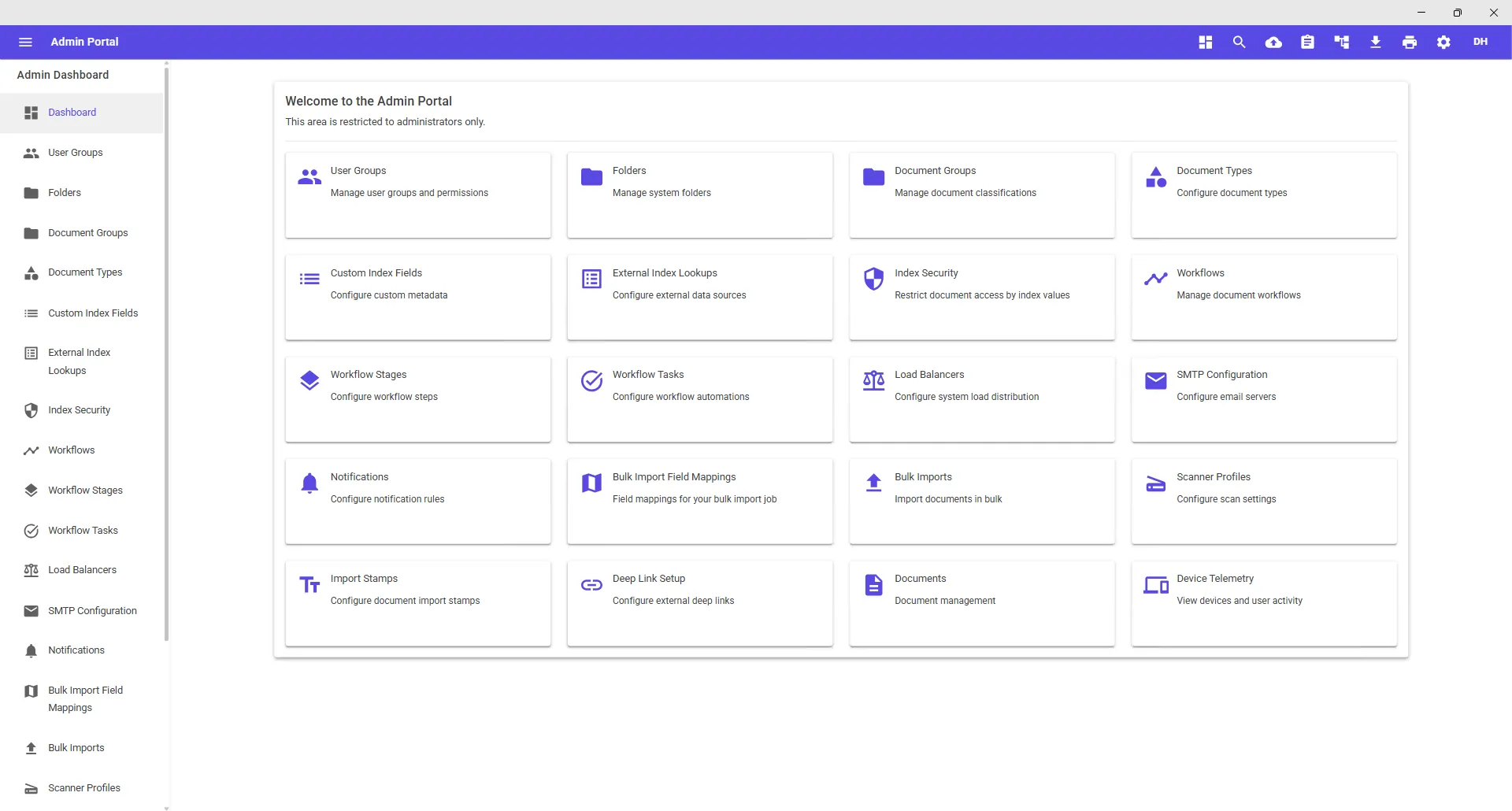
Document groups & types
Organize documents the way your business talks about them, with each type carrying its own index fields.
Index & keyword fields
Define the metadata that matters. External lookups can validate and fill fields from your other systems.
Users, groups & folders
Grant what a role can do, scope where documents can live, and filter further with index-based security rules.
Workflows & notifications
Stages, tasks, routing rules, and SMTP notifications are all defined by an administrator in the same console.
Bring one of your document types
We'll set up its fields, permissions, and workflow in a demo environment so you can see exactly how DocuPro fits.